Manage Tickets on TicketSignup
You can manage your tickets on TicketSignup easily through the confirmation email you received when you purchased the tickets. If you have lost this confirmation email, you can resend it to yourself using the Ticket Lookup component on the event's TicketSignup website.
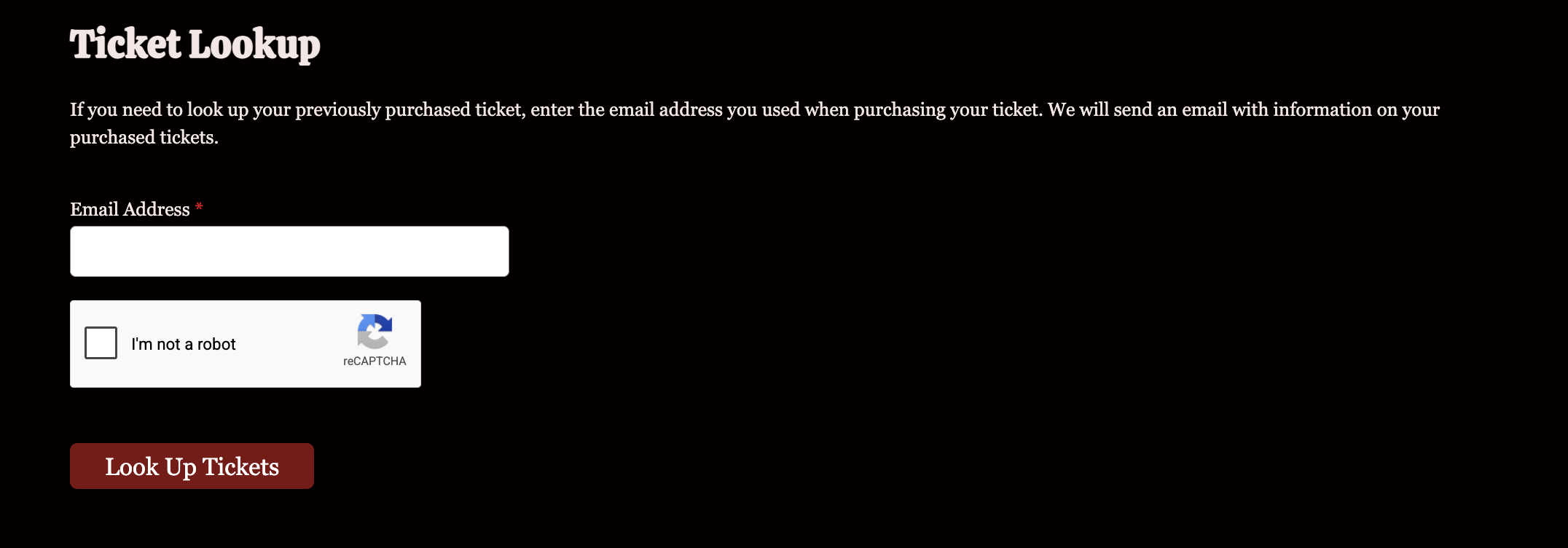
Enter your email address and we will resend your email to you.
Locate the Manage Tickets button in the email. This will be below the QR code.
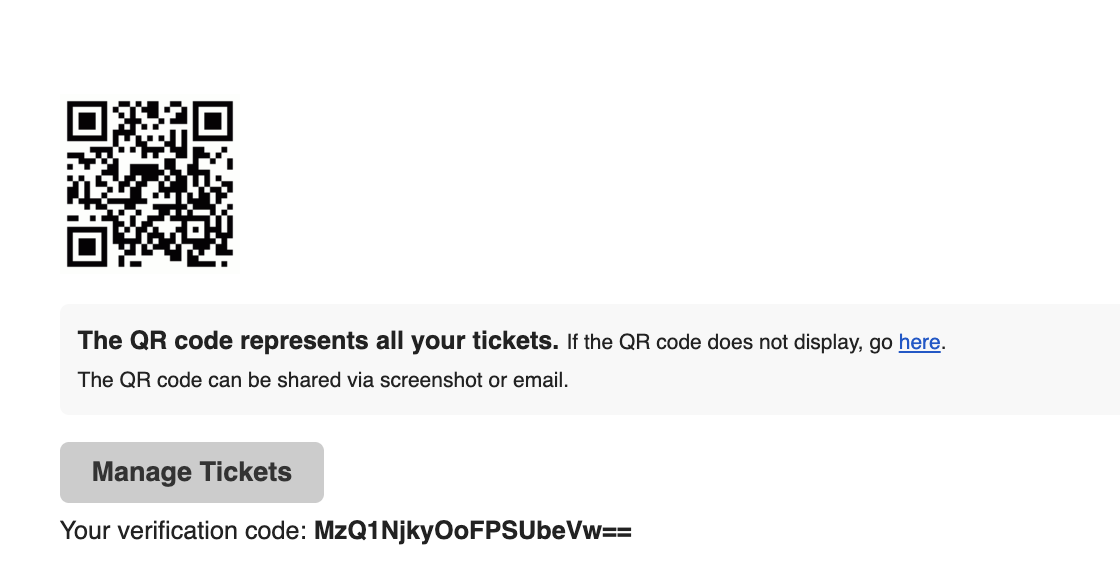 Click on Manage Tickets. Then, verify access on the screen you'll be taken to. No login is needed-- just the verification code from your email, which will be pre-filled.
Ticket Management Options
Events can choose what to enable for ticket purchasers to edit or manage on their existing purchases.
You will see all of the options available to you on the Manage Tickets screen.
You might see some or all of these options:
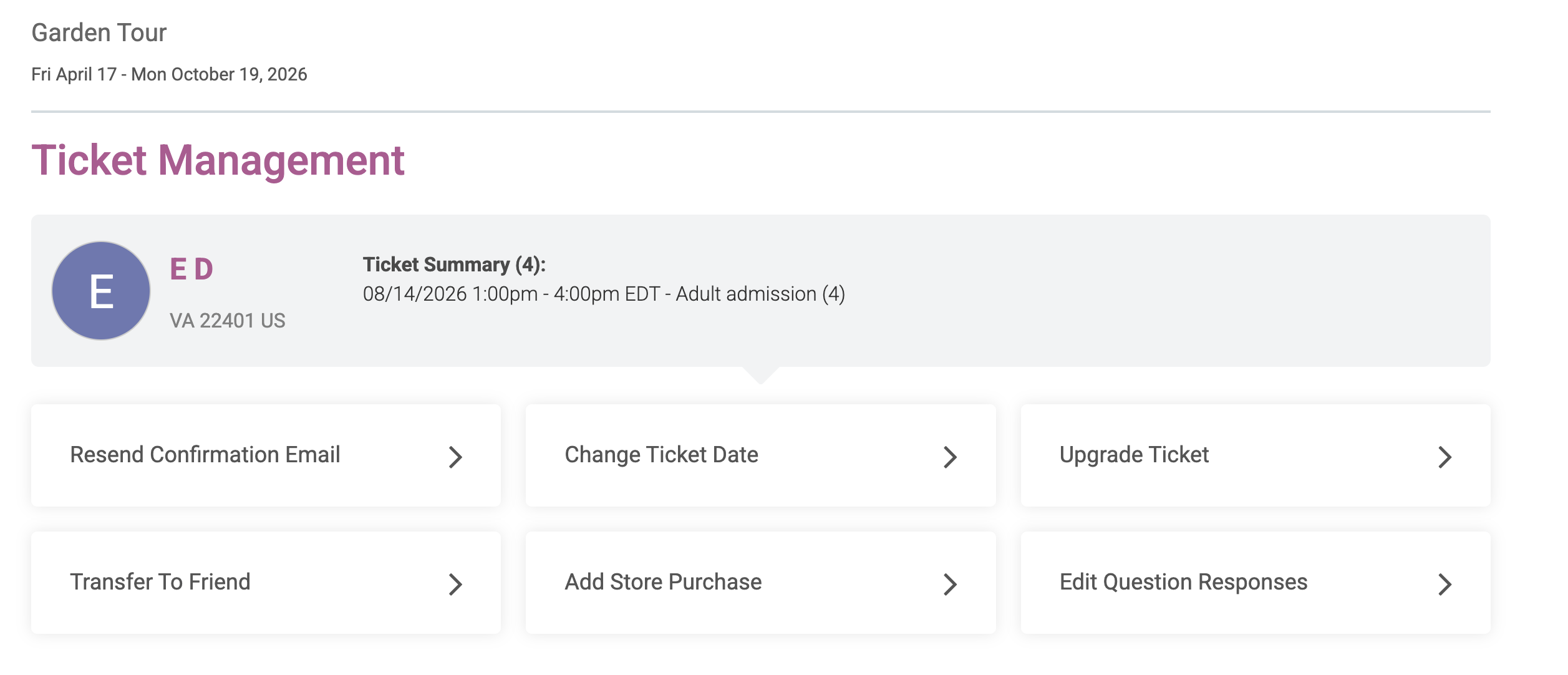
Select the one you are interested in. Note that the descriptions are customizable, so might vary slightly.
- Resend Confirmation Email: Lets you resend your confirmation email for your purchase
- Transfer Tickets/Change Ticket Date: Lets you change the date on some or all of your tickets, and/or change the ticket type itself.
- Upgrade Tickets: In a timed entry event, this allows you to upgrade your ticket from a lower priced ticket like General Admission to an upgraded ticket like Fast Pass for the difference in cost.
- Transfer Tickets to Friend: Lets you send some or all of your tickets to a friend's email, inviting them to "accept" the tickets for free and removing them from your purchase.
- Add Store Purchase: Add a store item, merchandise, or add-on to your existing ticket purchase.
- Edit Question Responses: Edit your question responses from the initial purchase.
If you don't see the option to perform a specific action on your ticket purchase, contact the event directly. They may not offer it, or may not allow it as a self-serve action.
Was this article helpful?
That’s Great!
Thank you for your feedback
Sorry! We couldn't be helpful
Thank you for your feedback
Feedback sent
We appreciate your effort and will try to fix the article